
Formulas
Your agreement does the math.
Turn reservation, property and guest details into deposits, fees, taxes and dates, plus sentences that only appear when they apply. Set each rule once. Every agreement gets the right numbers.
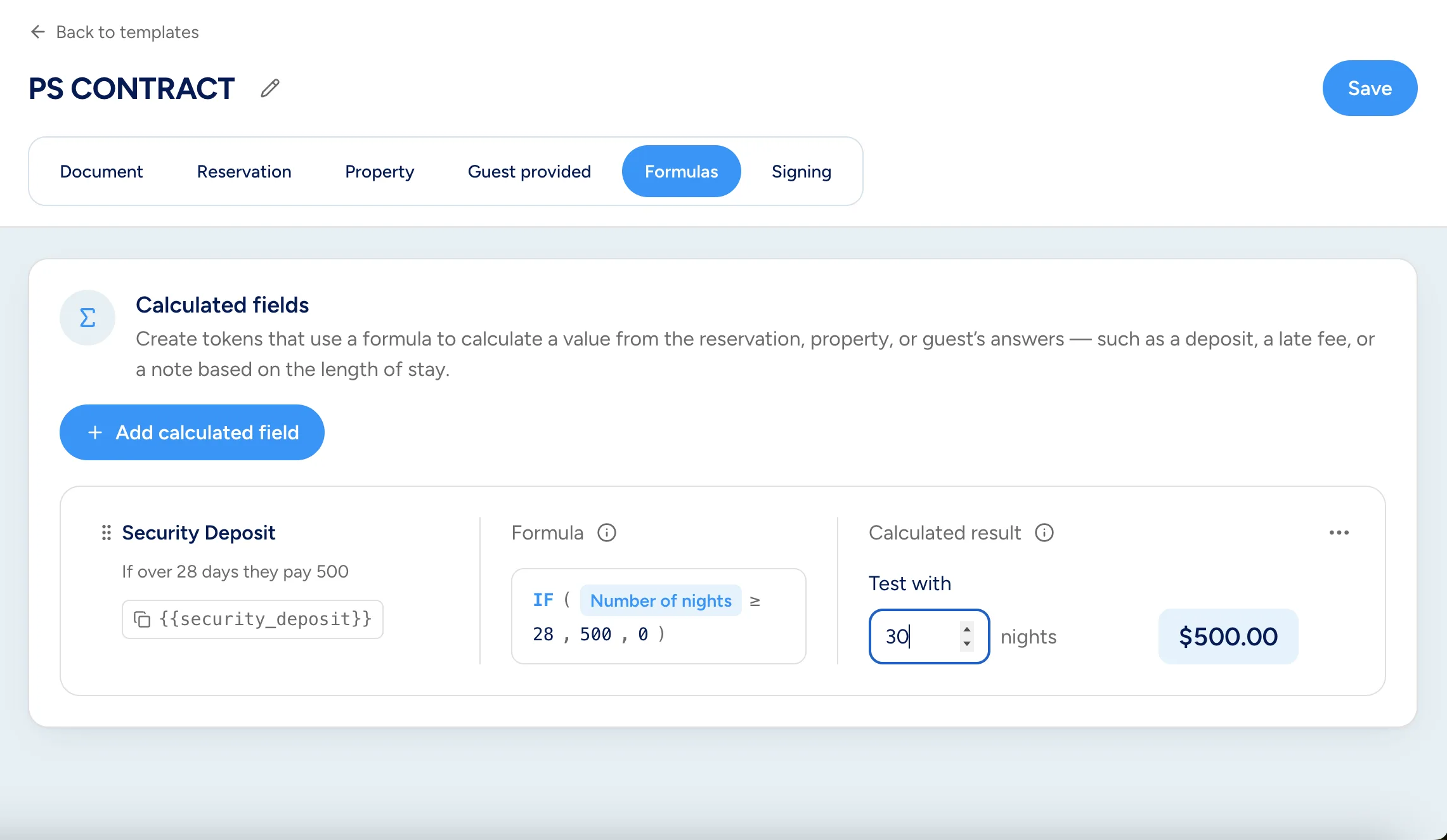
Security Deposit
20% of the stay, between $250 and $500
MIN(MAX(Room subtotal× 20%, 250), 500)
What formulas can do
Numbers, dates, and details, automatically filled in for every booking.
Money
Deposits, fees, taxes and balances, printed as money.
ROUND(room_subtotal / num_nights, 2)
Average nightly rate: $450.00
Guest answers
Charge based on what guests tell you while signing.
IF(bringing_pet = "Yes", 75, 0)
Pet fee: $75.00
Dates
Add or subtract days from check-in and check-out.
check_in - 7
Payment due: Dec 5
Text
Join words and details into sentences for each stay.
"Your stay is " & num_nights & " nights."
Your stay is 4 nights.
Rental agreement · Section 7
Pool and outdoor areas
The pool is unheated and has no lifeguard. Guests use the pool and outdoor areas at their own risk. Please review the property's pool safety requirements. Glass containers are not permitted in the pool area.
Only when it applies
IF(num_kids > 0, "Please review…", "")
Shown because this booking has 2 kids.
Conditional text
The right terms for the right stay.
Taxes & calculations
One tax total. Every tax accounted for.
Salt Water Oasis · 4 nights
Sample stay
- Taxable amountroom_subtotal + cleaning_fee
- $2,000.00
- Occupancy taxtaxable_amount * 0.115
- $230.00
- Tourism assessmenttaxable_amount * 0.01
- $20.00
- Total taxesoccupancy_tax + tourism_assessment
- $250.00
- Total duetaxable_amount + total_taxes
- $2,250.00
Try it
Test with your own numbers.
The formula editor lets you try any rule with sample values before you save it. Here's one: a 20% deposit kept between $250 and $500, plus a $500 fee for stays of 28 nights or more.
- Security depositMIN(MAX(room_subtotal * 20%, 250), 500)
- $500.00
- Long-stay feeIF(num_nights >= 28, 500, 0)
- $500.00
- Amount duesecurity_deposit + long_stay_fee
- $1,000.00
Familiar functions
If you've used a spreadsheet, you already know how.
Click a token to drop it into your formula. Reservation details, property settings and guest answers are all there.
Read the formulas guideFunctions and operators
- IF
- AND
- OR
- NOT
- ROUND
- MIN
- MAX
- ABS
- + − × ÷
- 20%
- &
- = < > <> <= >=
Tokens you can use
- Total
- Room subtotal
- Cleaning fee
- Tax total
- Check-in
- Check-out
- Number of nights
- Property state
- Adults
- Kids
- Bringing a pet
- Your custom questions
Set the rule once. Get it right every time.
Formulas work in both Google Docs™ and PDF templates.
Get started free